Active Directory & Azure (Entra) AD Connect Lab
A small lab that syncs on-prem Active Directory users into Entra ID (Azure AD), although I have worked with ADSync enviroements a lot - i wanted to go through setting one up as a test lab without affecting my live tenant / AD Servers This runs alongside my existing production domain controller – this lab domain controller is purely for testing. I know Azure AD is now Entra ID however it is just habit that I call it AzureAD still.
Lab goals
- Build a separate testing Active Directory domain in my homelab.
- Add a second domain controller for best practice.
- Sync on-prem users into my existing Test Microsoft 365 tenant with Azure AD Connect.
- Test sign-ins, group behaviour and Conditional Access against synced identities.
High-level design
The lab is intentionally small but modelled on a real small-business setup. It sits alongside my existing production AD environment — this one is for testing only.
- Proxmox running the VMs.
- SRV-LAB-DC01 – AD DS only (DNS/DHCP remain on primary DC).
- SRV-LAB-DC02 – additional domain controller.
- Optional Windows client joined to domain.
- Azure AD Connect installed on SRV-LAB-DC01.
- Microsoft 365 tenant / Entra ID for sync testing.
1. Creating the domain controller
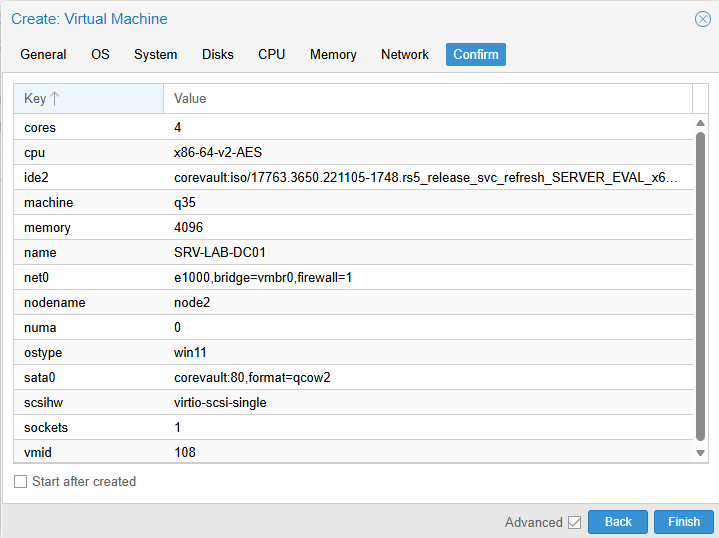
Creating the Windows Server VM in Proxmox
I uploaded my Windows Server ISO into Proxmox and created two VMs: SRV-LAB-DC01 and SRV-LAB-DC02.
- Windows Server Desktop Experience
- SeaBIOS (not UEFI)
- SATA disk
- 2+ cores, 4GB RAM
- Make sure you rename each manchine after Windows has installed & assign static IPs
Installing AD DS
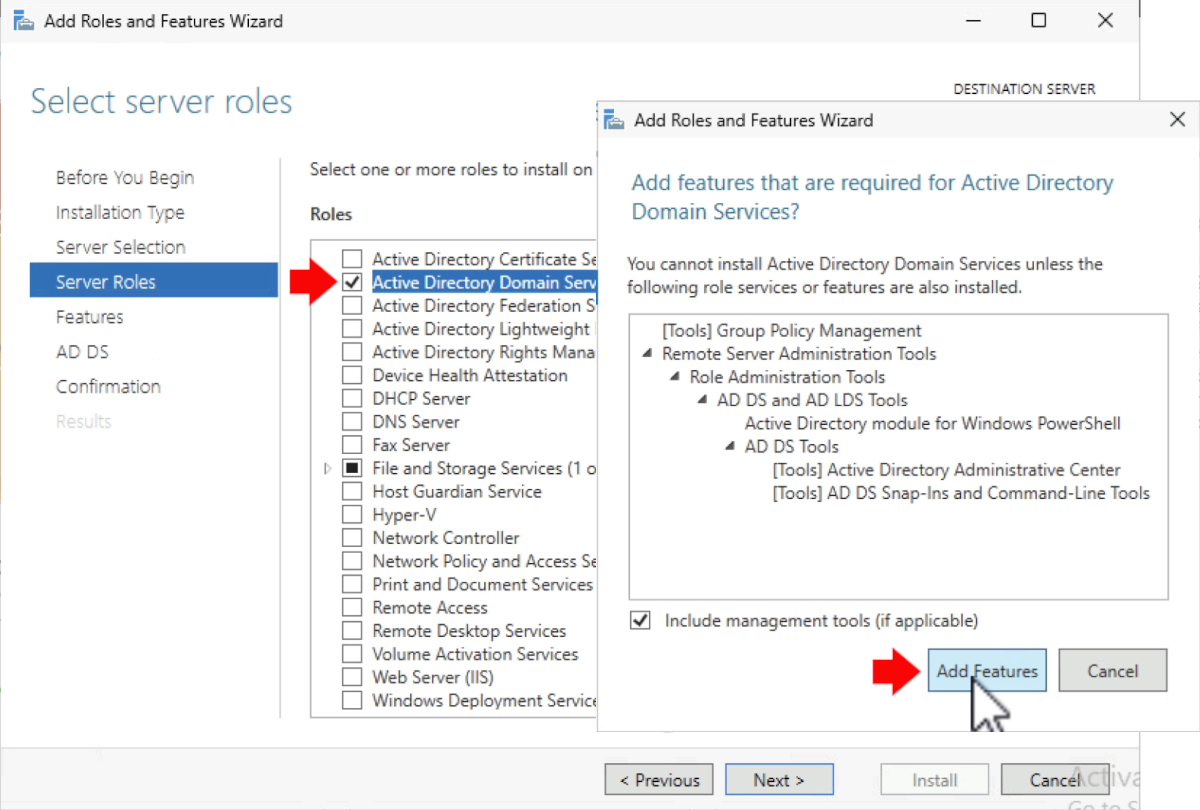
Installing the AD DS role
I installed the AD DS role but did NOT install DNS or DHCP because those are handled by my OPNSense firewall
Promoting the server
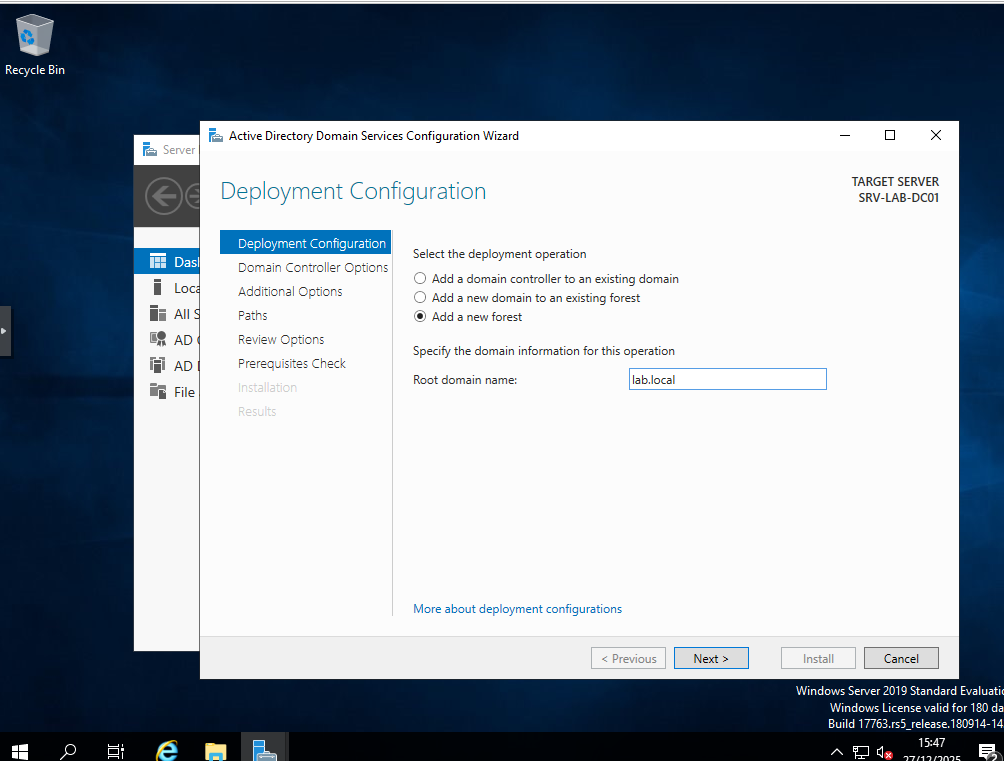
Promoting SRV-LAB-DC01 to a new forest: lab.local
I created a new forest lab.local, set a strong DSRM password, and accepted the defaults.
2. Adding the second DC
SRV-LAB-DC02 was promoted to an additional domain controller, pointing DNS to DC01.
3. Adding a UPN suffix

Adding the cloud UPN suffix for Microsoft 365 login
Because .local is non-routable, I added a UPN suffix matching my Microsoft 365 domain
(e.g. mytenant.com) in
Active Directory Domains and Trusts → Properties → Alternative UPN suffixes.
4. Azure AD Connect setup
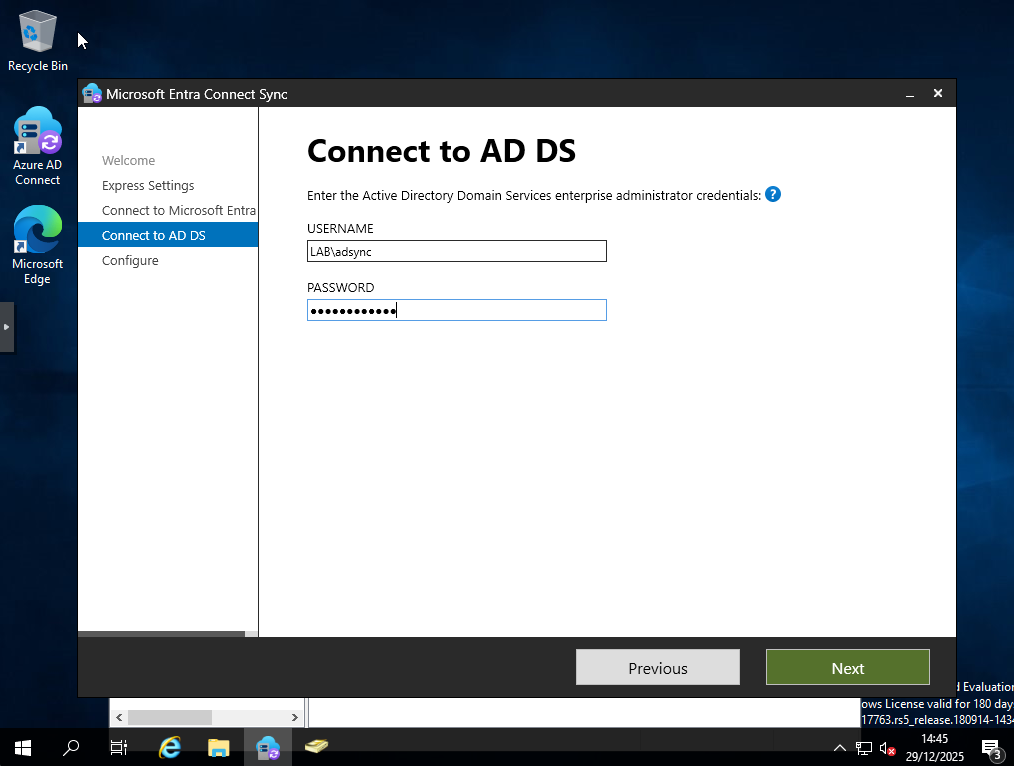
Azure AD Sync Wizard
I installed Azure AD Connect on DC01 using Express setup, logged into my Microsoft 365 admin account, and provided on-prem credentials using a dedicated ADSync account.
Forcing a sync
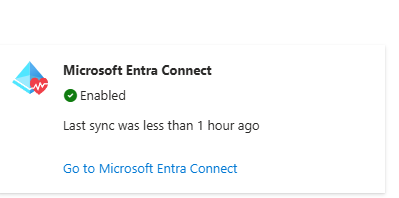
AD Sync now showing as enabled
After running a delta sync:
Start-ADSyncSyncCycle -PolicyType Delta,
my test user appeared in Entra ID and was able to sign in using the cloud UPN suffix.
What this lab gives me
This environment was made to help me mess with things without touching my production 365 tenant and AD Server. I also wrote this guide for people out there who are interesting in doing the same for testing.